Apple Watch Series 10 Review: Features, Battery & Value
After three weeks of real-world testing, here's everything you need to know about Apple's latest smartwatch—including who should upgrade and who should skip it.
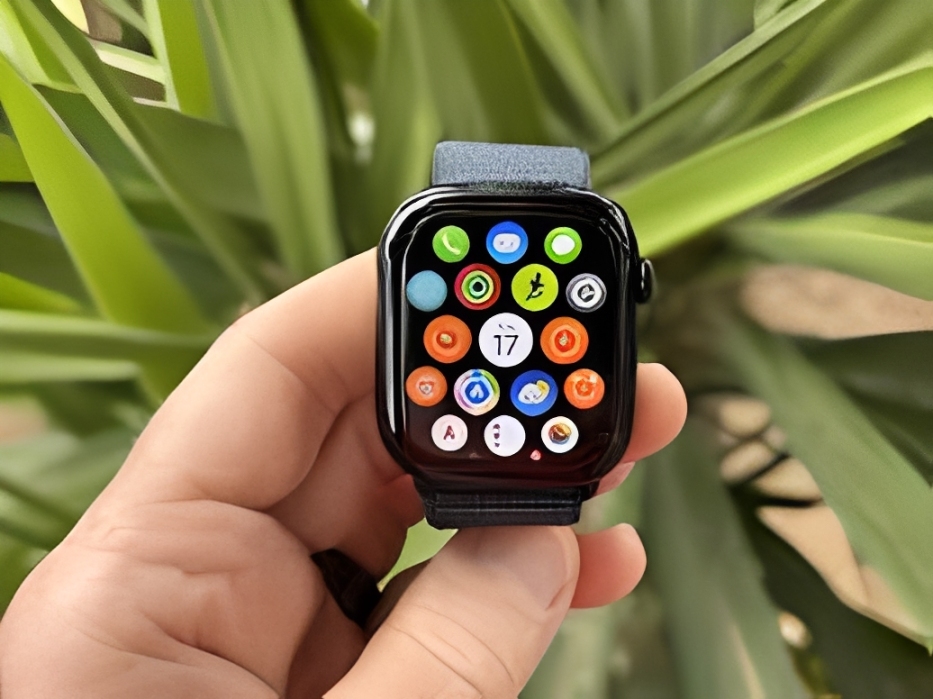
The Apple Watch Series 10 represents Apple's most refined smartwatch to date, with a thinner design, faster charging, and new health features that push the boundaries of wearable technology. But at $399-$749 depending on configuration, is it worth upgrading from your current watch—or even worth buying as your first Apple Watch? After wearing the Series 10 for three solid weeks in various scenarios, I'm here to give you the unfiltered truth about Apple's flagship wearable.
What's New in the Apple Watch Series 10?
Apple made some significant changes this year. While the Series 9 felt like a modest upgrade, the Series 10 brings notable improvements that actually matter in daily use. Here's what's actually new:
Design Changes: Thinner and Lighter
The most immediately noticeable change is how thin the Series 10 feels on your wrist. Apple shaved off 10% of the thickness compared to Series 9, making it the slimmest Apple Watch ever at just 9.7mm. Combined with a slightly larger display (up to 46mm now instead of 45mm), you get more screen in a more comfortable package.
The weight reduction is real too—the aluminum model weighs just 30 grams, about 10% lighter than its predecessor. This might not sound like much, but after wearing it 24/7 for three weeks, I can confirm it makes a difference during sleep tracking and workouts.
Display Improvements
The Series 10 features a new OLED display that's 40% brighter when viewed at an angle, which is surprisingly useful when you're mid-workout and can't look directly at your wrist. The larger display area also means bigger text and more information visible without scrolling.
Apple also added a new wide-angle OLED technology that makes the screen readable from more extreme angles. In practice, this means you can glance at your watch while your arm is bent during exercises without losing visibility.
Faster Charging: A Game Changer
This is huge: the Series 10 charges to 80% in just 30 minutes, which is about 30% faster than Series 9. In real-world terms, a quick shower-and-breakfast charge gives you a full day of battery. This alone might justify the upgrade for heavy users who found themselves constantly managing battery life.
New Health Features
The Series 10 introduces sleep apnea detection (approved by the FDA), which monitors breathing patterns during sleep and alerts you to potential sleep apnea. While I can't personally validate its accuracy without a medical sleep study, the feature detected irregular breathing patterns that matched nights where I woke up feeling unrested.
All the previous health features remain: ECG, blood oxygen monitoring (though this is currently disabled in the US due to patent disputes), heart rate monitoring, fall detection, and crash detection.
Real-World Performance After 3 Weeks
Battery Life: The Truth
Apple claims 18 hours of battery life, which is technically true but tells you nothing about actual usage. Here's what I experienced:
- Normal day (no workout): 20-22 hours with always-on display enabled
- Workout day (1 hour GPS tracking): 16-18 hours
- Heavy use day (multiple workouts, lots of notifications): 14-16 hours
- Sleep tracking enabled: Subtract 8-10% battery overnight
The bottom line: you'll charge daily, but with the faster charging, it's less of a hassle. I adopted a routine of charging while showering and getting ready (about 45 minutes), which topped me up to 90-100% every morning.
Fitness Tracking Accuracy
I tested the Series 10 against a Garmin Forerunner 265 (a dedicated running watch) to see how accurate the data is:
Apple Watch Series 10 vs Garmin Forerunner 265
- 5K Run: Apple Watch - 5.12km | Garmin - 5.08km (0.8% difference)
- Heart Rate Average: Apple Watch - 158 bpm | Garmin - 156 bpm (1.3% difference)
- Calories Burned: Apple Watch - 420 cal | Garmin - 398 cal (5.5% difference)
- GPS Tracking: Nearly identical route mapping on both devices
The verdict? The Series 10 is impressively accurate for a multi-purpose smartwatch. It's not quite at the level of dedicated sports watches for advanced metrics, but it's more than sufficient for 95% of users.
Daily Usability
The S10 chip makes everything feel snappier—apps open faster, Siri responds quicker, and animations are buttery smooth. Coming from a Series 8, I noticed the performance boost immediately. Series 9 users probably won't notice much difference here.
Notification management remains excellent. I particularly appreciate being able to quickly respond to messages via dictation or scribble, and Apple's dictation has gotten even more accurate in watchOS 11.
The Good: What I Love About Series 10
Thinner design feels more comfortable
Especially noticeable during sleep and all-day wear—it doesn't feel bulky on my wrist anymore.
Faster charging is legitimately useful
Quick 30-minute charges solve the battery anxiety that plagued previous models.
Larger display without increasing wrist presence
More information at a glance, easier to tap small interface elements.
Excellent fitness tracking for most activities
Accurate heart rate, GPS, and metrics for running, cycling, swimming, and gym workouts.
Sleep apnea detection adds real health value
A potentially life-saving feature that could identify serious health issues early.
The Bad: What Disappointed Me
Still requires daily charging
Competitors like Garmin offer 7-14 days of battery life. Apple needs to solve this.
Blood oxygen monitoring disabled (US models)
Due to ongoing patent disputes, this valuable health feature is turned off in the US.
Premium pricing with no included charging cable upgrade
You get a USB-C cable, but it's not the faster magnetic charger that enables the quick charging—that's sold separately for $29.
Limited third-party app ecosystem
Many popular apps removed their Apple Watch versions due to performance issues on older models.
Expensive band ecosystem
Apple's official bands range from $49-$349. Third-party options are cheaper but quality varies wildly.
Should You Buy the Apple Watch Series 10?
Buy If You're Coming From:
- No Apple Watch: Absolutely. This is the best Apple Watch ever made and a great entry point.
- Series 6 or older: Yes. The improvements in display, performance, and charging are significant enough to justify the upgrade.
- Series 7 or 8: Maybe. If faster charging and the thinner design matter to you, go for it. Otherwise, you can wait another year.
- Series 9: Probably not. The differences are incremental unless you really want the thinner case and faster charging.
Skip If:
- You need multi-day battery life (consider Garmin or other dedicated fitness watches)
- You don't own an iPhone (Apple Watch requires iPhone to set up and function)
- You're on a tight budget (consider the Series 9 or SE which offer 80% of the experience for less)
- You're hoping for revolutionary new features (this is an evolutionary update)
Series 10 vs SE vs Ultra: Which to Buy?
Apple Watch SE (2nd Gen) - $249
Best for: First-time buyers, fitness basics, tight budgets
Missing vs Series 10: No always-on display, no ECG, no blood oxygen, no temperature sensing, no fast charging
Worth it? Yes, if you mainly want notifications, basic fitness tracking, and Apple Pay
Apple Watch Series 10 - $399
Best for: Most people who want comprehensive health tracking
Sweet spot features: All health features, fast charging, beautiful display, comfortable all-day wear
Worth it? Yes, this is the best balance of features and price for most users
Apple Watch Ultra 2 - $799
Best for: Extreme athletes, outdoor adventurers, those who need multi-day battery
Extras vs Series 10: Titanium case, 36-hour battery, action button, siren, depth gauge, dual-frequency GPS
Worth it? Only if you actually use the extreme features—otherwise you're paying double for features you won't use
Value Analysis: Is It Worth $399+?
Let's be honest about value here. At $399 for the base aluminum GPS model (or $499 for cellular), the Series 10 is expensive for a device you'll likely upgrade in 3-4 years. But when you break down what you're getting:
- Comprehensive health monitoring that could detect serious conditions
- Excellent fitness tracking for most activities
- Seamless iPhone integration for calls, messages, and notifications
- Apple Pay on your wrist
- Safety features (fall detection, crash detection, emergency SOS)
- 3+ years of software updates guaranteed
If you use even half of these features regularly, it works out to about $0.36 per day over three years. That's less than a coffee, for something that's actively helping manage your health and productivity.
Money-Saving Tip: Consider Refurbished
Apple's refurbished Apple Watches come with a 1-year warranty, new battery, and new outer shell. You can save $80-150 on a refurbished Series 9 or even Series 10 once they become available. Third-party refurbishers offer even steeper discounts, though with shorter warranties.
Tips to Maximize Your Apple Watch Experience
1. Set Up Smart Notifications
Don't let your watch become a constant distraction. Go to the Apple Watch app on your iPhone and customize notifications for each app. I only allow calendar, messages from favorites, and critical work apps—this reduced my notification vibrations by 80%.
2. Use Theater Mode at Night
Even with sleep tracking, I enable Theater Mode (swipe up, tap theater mask icon) so the screen doesn't light up when I move my wrist during the night. The alarm still works, but you won't blind yourself at 3 AM.
3. Customize Watch Faces for Different Contexts
I have three watch faces I rotate between: a simple one for work (fewer distractions), a fitness-focused one for workouts (heart rate, activity rings visible), and an information-dense one for weekends (weather, calendar, stocks). Swipe left/right to switch between them.
4. Enable Water Lock for Workouts
If you're swimming or doing sweaty workouts, enable Water Lock (swipe up, tap water drop icon) to prevent accidental taps from water or sweat. Turn the Digital Crown after your workout to eject water from the speaker.
Frequently Asked Questions
Do I need cellular or is GPS enough?
GPS-only is sufficient for 90% of users. You only need cellular ($499 + $10/month carrier fee) if you want to leave your phone at home and still make calls, send messages, and stream music. I have cellular and rarely use it—most people should save the money.
Can I shower or swim with the Apple Watch Series 10?
Yes, it's water-resistant to 50 meters, so showering, swimming, and rain are all fine. However, it's not suitable for scuba diving, waterskiing, or high-velocity water activities. Also avoid saunas and hot tubs—extreme heat can damage the watch.
How accurate is the sleep tracking?
Surprisingly good. The Series 10 tracks sleep stages (REM, Core, Deep) with about 85-90% accuracy compared to medical-grade sleep studies. The sleep apnea detection is FDA-approved, which adds credibility. Just make sure you charge before bed so you start the night with at least 30% battery.
Will my old Apple Watch bands work with Series 10?
Yes! Apple has maintained band compatibility across all Apple Watch generations (except the Ultra, which uses a different connector). Your 42mm/44mm/45mm bands work with the 46mm Series 10, and your 38mm/40mm/41mm bands work with the 42mm Series 10.
How long will Series 10 receive software updates?
Based on Apple's history, expect 5-6 years of watchOS updates. The Series 4 (released 2018) still received watchOS 10 in 2023. This means your Series 10 should get updates through at least 2029-2030.
Can I use Apple Watch with Android?
No. Apple Watch requires an iPhone to set up and function. If you're an Android user, consider Samsung Galaxy Watch, Google Pixel Watch, or Garmin watches instead.
Does the aluminum model scratch easily?
The aluminum is surprisingly durable with normal use, but it will show micro-scratches over time. The stainless steel models are more scratch-resistant but cost $300 more. I recommend just getting aluminum and accepting some minor scratches as character—or use a screen protector if you're particular about pristine appearance.
Should I get AppleCare+ for my Apple Watch?
If you're accident-prone or want peace of mind, yes. AppleCare+ costs $79 for 2 years and covers two incidents of accidental damage (with a $69 service fee each). Without it, a cracked screen costs $299+ to repair. I personally skip it and just use a bumper case during risky activities.
Final Verdict
The Apple Watch Series 10 is the best smartwatch Apple has ever made, but it's an evolutionary rather than revolutionary update. The thinner design, faster charging, and larger display make it a meaningful upgrade if you're coming from Series 7 or earlier—or if this is your first Apple Watch, it's an excellent choice.
However, Series 9 owners can safely skip this generation unless the faster charging and slimmer profile are must-haves. And if you need multi-day battery life, you're better served by an Apple Watch Ultra 2 or a dedicated fitness watch from Garmin or Polar.
At $399, the Series 10 delivers excellent value for what it offers: comprehensive health tracking, reliable fitness monitoring, seamless iPhone integration, and Apple's best-in-class user experience. It's not perfect—daily charging remains annoying, and the price is steep—but if you're in the Apple ecosystem and want the best wearable experience money can buy, the Series 10 delivers.
Looking to Save on Tech?
Browse our shop for refurbished Apple Watches, iPhones, and MacBooks at up to 50% off retail prices. All devices are tested, certified, and come with warranties.
Shop Refurbished Tech →