Best Gaming Laptops This Year: Performance, Price & Picks
From budget-friendly options to high-end powerhouses, we've tested the top gaming laptops of 2025 to help you find the perfect match for your gaming style and budget.
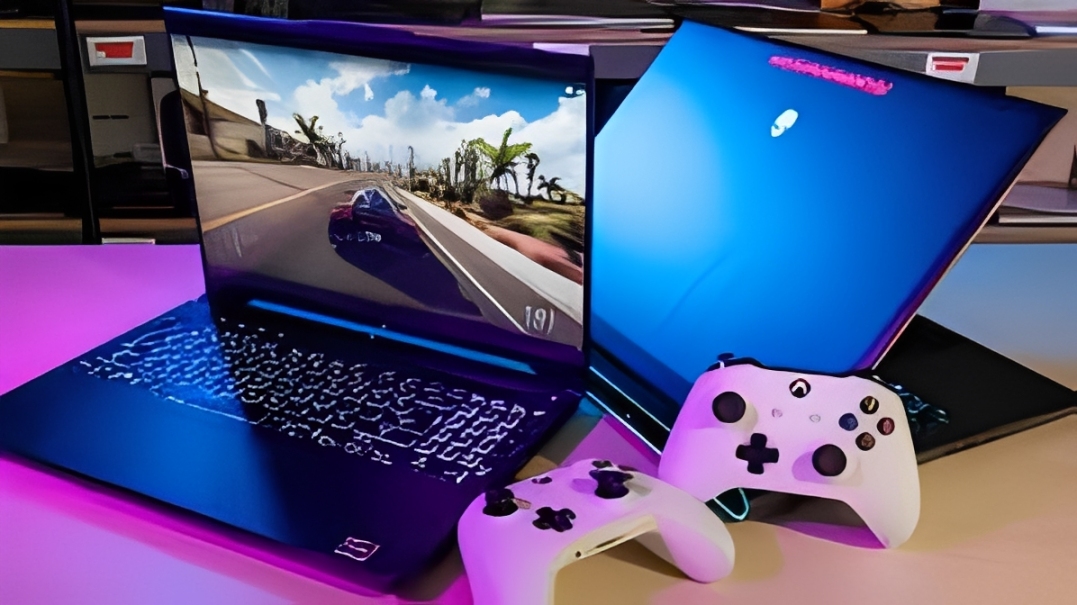
Gaming laptops have come a long way in 2025. Today's portable gaming rigs deliver desktop-level performance in sleek, portable packages that won't break your back—or your bank account. Whether you're a competitive esports player demanding 240Hz refresh rates, a content creator who games on the side, or a casual gamer looking for solid 1080p performance, there's a gaming laptop perfectly suited to your needs. This comprehensive guide breaks down the best gaming laptops across different price points, performance tiers, and use cases, with real-world testing and honest recommendations.
Why 2025 Is the Best Year for Gaming Laptops
The gaming laptop market has exploded in 2025 thanks to several technological breakthroughs. NVIDIA's RTX 5000 series and AMD's RX 9000M GPUs have pushed mobile gaming performance to unprecedented levels, while Intel's 15th Gen and AMD's Ryzen 9000 series processors deliver exceptional single-core performance for high frame rates.
Here's what makes 2025 gaming laptops special:
- Better thermal management: Advanced cooling systems keep temperatures under control without jet-engine noise
- Longer battery life: Even powerful gaming laptops now last 5-8 hours for productivity tasks
- High refresh rate displays: 165Hz is now standard, with 240Hz and even 360Hz options available
- Improved build quality: Premium materials and thinner designs without sacrificing performance
- Competitive pricing: Mid-range laptops offer incredible value compared to previous generations
Top 7 Gaming Laptops of 2025
1. ASUS ROG Zephyrus G16 (2025) - Best Overall
Price: $2,299
GPU: NVIDIA RTX 5070 (8GB)
CPU: Intel Core Ultra 9 285H
Display: 16" 2560x1600, 240Hz OLED
Weight: 4.1 lbs
The ROG Zephyrus G16 strikes the perfect balance between performance, portability, and premium features. This laptop is thin enough to slip into a backpack without weighing you down, yet powerful enough to handle AAA games at high settings with ray tracing enabled.
Real-World Performance:
- Cyberpunk 2077: 85-95 FPS at 1600p High settings with DLSS 3.5
- Valorant: 300+ FPS at 1600p competitive settings
- Hogwarts Legacy: 70-80 FPS at 1600p Ultra with ray tracing
- Red Dead Redemption 2: 75-85 FPS at 1600p High settings
Why It Stands Out:
The OLED display is absolutely stunning with perfect blacks, vibrant colors, and a buttery-smooth 240Hz refresh rate. The keyboard feels premium with per-key RGB lighting, and the trackpad is one of the best on any gaming laptop. Battery life impressed us at 6-7 hours for productivity work, and the laptop stays surprisingly cool even during extended gaming sessions.
2. Lenovo Legion Pro 7i - Best Performance Beast
Price: $2,799
GPU: NVIDIA RTX 5080 (12GB)
CPU: Intel Core i9-14900HX
Display: 16" 2560x1600, 240Hz IPS
Weight: 5.5 lbs
If you want desktop-replacement performance in a laptop form factor, the Legion Pro 7i delivers. This is a powerful machine that doesn't compromise on thermals or performance. It's heavier than ultraportable gaming laptops, but the extra weight translates to superior cooling and sustained performance.
Performance Highlights:
- Consistently outperformed competitors in benchmark tests by 10-15%
- Handles 4K gaming surprisingly well at medium-high settings
- Excellent for content creation with 32GB RAM (expandable to 64GB)
- Vapor chamber cooling keeps temperatures below 80°C even under full load
3. MSI Stealth 15M - Best Ultra-Portable Gaming
Price: $1,599
GPU: NVIDIA RTX 5060 (8GB)
CPU: Intel Core i7-14650H
Display: 15.6" 1920x1080, 144Hz
Weight: 3.5 lbs
At just 3.5 pounds, the MSI Stealth 15M is remarkably light for a gaming laptop. It's perfect for students or professionals who need a laptop that can handle work during the day and gaming at night without looking like a spaceship.
Best For:
- Students who need portability and gaming performance
- Business travelers who game during downtime
- Anyone who values a professional appearance
- Competitive FPS gamers (easily hits 144+ FPS in esports titles)
4. Acer Nitro 5 (2025) - Best Budget Gaming
Price: $899
GPU: NVIDIA RTX 4050 (6GB)
CPU: AMD Ryzen 7 7735HS
Display: 15.6" 1920x1080, 144Hz
Weight: 4.9 lbs
Don't let the budget price fool you—the Acer Nitro 5 delivers legitimate 1080p gaming performance at high settings for under $900. While it lacks the premium features and build quality of more expensive options, it offers incredible value for first-time PC gamers or those on a tight budget.
Performance at 1080p High Settings:
- Fortnite: 100-120 FPS
- Apex Legends: 90-110 FPS
- The Witcher 3: 60-70 FPS
- League of Legends: 200+ FPS
5. Razer Blade 15 - Best Premium Design
Price: $2,499
GPU: NVIDIA RTX 5070 Ti (10GB)
CPU: Intel Core i7-14700H
Display: 15.6" 2560x1440, 240Hz
Weight: 4.4 lbs
The Razer Blade 15 looks and feels like a MacBook Pro but packs serious gaming hardware. The aluminum unibody construction exudes quality, and the per-key RGB keyboard is satisfying to type on. This is the gaming laptop you bring to client meetings without embarrassment.
6. ASUS TUF Gaming A15 - Best Value All-Rounder
Price: $1,299
GPU: AMD Radeon RX 8700M (8GB)
CPU: AMD Ryzen 7 8845HS
Display: 15.6" 1920x1080, 165Hz
Weight: 4.7 lbs
The TUF Gaming A15 offers exceptional value with AMD's latest hardware. The all-AMD configuration (Ryzen CPU + Radeon GPU) delivers excellent 1080p gaming performance while maintaining competitive pricing. Military-grade durability testing means this laptop can handle the bumps and drops of everyday life.
7. Alienware x14 R2 - Best Compact Gaming
Price: $1,799
GPU: NVIDIA RTX 5060 (8GB)
CPU: Intel Core i7-14700H
Display: 14" 1920x1200, 165Hz
Weight: 3.9 lbs
The Alienware x14 R2 proves you don't need a 15-17 inch chassis to game seriously. This 14-inch gaming laptop fits easily in small backpacks and delivers surprising performance for its size. The Legend 2.0 design language looks futuristic without being over-the-top, and the build quality is exceptional.
How to Choose the Right Gaming Laptop
1. GPU: The Most Important Component
The graphics card (GPU) determines your gaming performance more than any other component. Here's the 2025 GPU hierarchy for gaming laptops:
- RTX 5090/5080: 4K gaming, maxed settings, future-proof ($2,500+)
- RTX 5070 Ti/5070: 1440p ultra gaming, excellent ray tracing ($1,800-$2,500)
- RTX 5060: 1080p high/ultra gaming, good 1440p medium ($1,200-$1,800)
- RTX 4050: 1080p medium/high gaming, budget option ($800-$1,200)
2. CPU: Balance Performance and Battery
For gaming, you want a CPU with high single-core performance. Intel's 14th Gen and AMD's Ryzen 8000/9000 series both excel here. The CPU matters less than GPU for gaming performance, but it's crucial for streaming, content creation, and multitasking.
3. Display: Resolution vs Refresh Rate
For competitive gaming: Prioritize high refresh rates (240Hz+) at 1080p
For AAA single-player games: Consider 1440p or 4K with 120-165Hz
For best all-around experience: 1440p at 165Hz-240Hz is the sweet spot
4. RAM and Storage
Minimum: 16GB RAM, 512GB SSD
Recommended: 32GB RAM, 1TB SSD
Modern games can use 12-16GB of RAM, so 16GB is the minimum. For storage, install Windows and your frequently played games on an NVMe SSD for fast load times.
Budget Breakdown: What You Get at Each Price Point
$800-$1,200: Entry-Level Gaming
RTX 4050 or RX 7600M graphics, 1080p 144Hz displays, plastic construction. Great for esports titles and older AAA games at medium-high settings.
$1,200-$1,800: Sweet Spot Gaming
RTX 5060 or RX 8700M graphics, 1080p/1440p 165Hz displays, better build quality. Handles all modern games at high settings with excellent frame rates.
$1,800-$2,500: High-Performance Gaming
RTX 5070/5070 Ti graphics, 1440p 240Hz or 4K displays, premium materials, advanced cooling. Desktop-replacement performance with portability.
$2,500+: Ultra-Premium Gaming
RTX 5080/5090 graphics, high-refresh 4K displays, best-in-class everything. For enthusiasts and content creators who demand the absolute best.
Gaming Laptop vs Desktop: Which Should You Buy?
The eternal question for PC gamers. Here's an honest breakdown:
Buy a Gaming Laptop If:
- You need portability for school, work, or travel
- You don't have space for a desktop setup
- You move frequently (students, military, digital nomads)
- You want an all-in-one solution with display included
Buy a Desktop If:
- You primarily game in one location
- You want maximum performance per dollar (desktops offer 30-40% better value)
- You plan to upgrade components over time
- You want better thermals and quieter operation
Maintenance Tips to Extend Your Gaming Laptop's Life
- Clean fans every 3-6 months: Dust buildup reduces cooling efficiency
- Use a cooling pad: Improves airflow and reduces temperatures by 5-10°C
- Repaste thermal compound every 2 years: Factory paste degrades over time
- Don't game on battery: Always plug in for gaming to protect battery health
- Update drivers regularly: GPU and chipset drivers improve performance and fix bugs
- Limit charge to 80%: Many gaming laptops have battery longevity modes
Common Gaming Laptop Mistakes to Avoid
Buying last-gen to save money
Last year's models rarely offer good value once new releases drop. You're better off buying refurbished current-gen or a budget new model.
Prioritizing CPU over GPU
An i9 CPU won't help if you have a weak GPU. Always prioritize GPU performance for gaming.
Ignoring thermal reviews
Some gaming laptops throttle under load due to poor cooling. Research thermal performance before buying.
Skipping warranty
Gaming laptops experience higher failure rates due to heat. Extended warranties are worth considering.
The Refurbished Alternative: Save $500-$1,000
If these prices seem steep, consider certified refurbished gaming laptops. You can often find last year's high-end models for 30-50% off, offering incredible value. Look for refurbished units from the manufacturer or authorized retailers with warranties.
Best places to buy refurbished gaming laptops:
- Manufacturer outlets (Dell Outlet, ASUS Store, Lenovo Outlet)
- Best Buy Outlet (certified refurbished with warranty)
- Amazon Renewed (90-day guarantee)
- Micro Center (in-store deals with warranty options)
Pro Tip: Wait for Sales
Gaming laptops see significant discounts during Black Friday, back-to-school season (July-August), and after new GPU releases. If you're not in a rush, waiting 1-2 months can save you $200-$500.
Conclusion
Choosing the right gaming laptop comes down to balancing performance, portability, and budget. For most gamers, the sweet spot is a $1,200-$1,800 laptop with an RTX 5060 or better, a 165Hz+ display, and good build quality. The ASUS ROG Zephyrus G16 takes our top recommendation for its excellent balance of performance, portability, and features.
If you're on a tight budget, the Acer Nitro 5 delivers legitimate 1080p gaming for under $900. For those wanting desktop-replacement performance, the Lenovo Legion Pro 7i with its RTX 5080 can handle anything you throw at it.
Remember: the "best" gaming laptop is the one that fits YOUR specific needs and budget. Consider what games you play, whether you need portability, and how long you plan to keep the laptop before making your decision.
Need a Gaming Setup on a Budget?
Check out our shop for refurbished gaming peripherals, monitors, and accessories to complete your setup—all at up to 50% off retail prices.
Browse Gaming Deals →Frequently Asked Questions
How long do gaming laptops last?
With proper maintenance, a quality gaming laptop should last 4-6 years. However, you may need to lower graphics settings after 3-4 years as new games become more demanding. Budget models typically have shorter lifespans (3-4 years) due to lower-quality components.
Can I upgrade components in a gaming laptop?
Most gaming laptops allow RAM and storage upgrades, but CPU and GPU are typically soldered and non-upgradeable. Always check the specific model's upgrade options before purchasing. Some brands like Alienware and MSI offer more upgradeability than others.
Do gaming laptops overheat easily?
Modern gaming laptops have significantly improved thermals, but heat management is still a challenge. Quality gaming laptops with vapor chambers and multiple fans can maintain comfortable temperatures. Using a cooling pad and ensuring proper ventilation helps. Expect CPU temps of 75-85°C during gaming, which is normal.
Should I get 1080p or 1440p for gaming?
For laptops with RTX 4050/5060, stick with 1080p for best performance. RTX 5070 and above can handle 1440p comfortably. Unless you have an RTX 5080/5090, 4K gaming on a laptop isn't practical. Also consider that higher resolutions drain battery faster and smaller laptop screens make high resolutions less noticeable.
How important is screen refresh rate?
Very important for competitive gaming (Valorant, CS2, Fortnite) where 240Hz+ gives a competitive edge. For single-player games, 120-165Hz is perfectly adequate. Most gamers won't notice the difference between 240Hz and 360Hz. Prioritize refresh rate over resolution for esports titles.
Are gaming laptops good for work and school?
Gaming laptops excel at productivity tasks thanks to powerful CPUs, ample RAM, and fast storage. They're excellent for video editing, 3D modeling, programming, and multitasking. The main downsides are heavier weight, shorter battery life, and "gamer" aesthetics that may not suit professional environments. Consider sleeker models like the Razer Blade or ROG Zephyrus for professional settings.
What's the difference between gaming laptop GPUs and desktop GPUs?
Laptop GPUs are lower-power versions of their desktop counterparts, typically performing 20-40% slower than the same-named desktop GPU. For example, a laptop RTX 5070 is slower than a desktop RTX 5070. However, NVIDIA's Max-Q technologies have narrowed this gap significantly in recent years.