Top 5 Tablets for Students in 2025
The best tablets for note-taking, studying, and productivity that won't break your student budget—with detailed comparisons, real-world testing, and smart buying advice.
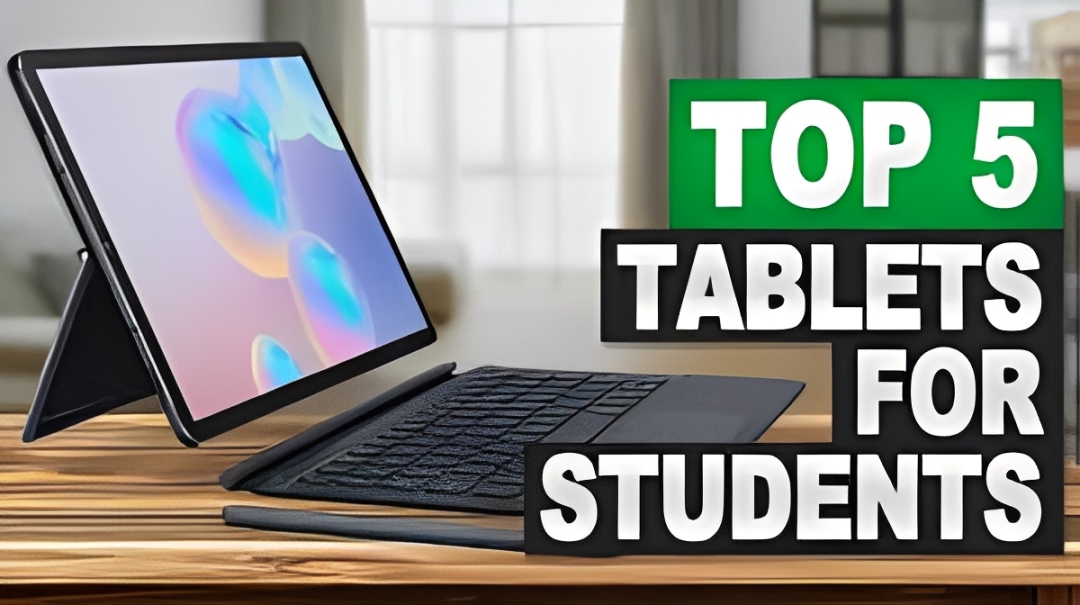
Choosing the right tablet as a student can make the difference between struggling with heavy textbooks and seamlessly managing your entire academic life in one portable device. In 2025, tablets have evolved into powerful productivity machines that can replace laptops for many students—and they cost significantly less. This comprehensive guide breaks down the five best tablets for students across different budgets, use cases, and academic needs. Whether you're taking handwritten notes in lectures, editing videos for class projects, or just need a lightweight device for reading and research, we've tested them all.
Why Tablets Are Perfect for Students in 2025
Modern tablets have closed the gap with traditional laptops in almost every way that matters for students. Here's why more students are choosing tablets over laptops:
- All-day battery life: Most tablets last 10-12 hours on a single charge—enough for a full day of classes
- Instant on: No boot time means you can jump into note-taking immediately
- Digital handwriting: Stylus support makes note-taking feel natural and searchable
- Lighter weight: Tablets weigh 1-2 lbs vs 3-5 lbs for laptops
- Better portability: Fits in any bag without the bulk of a laptop
- Lower cost: Quality tablets start at $200-300 vs $600+ for decent laptops
Plus, tablets excel at tasks students do most: reading PDFs, watching lectures, taking notes, and web research. For most majors (except engineering or computer science), a tablet can be your primary device.
Top 5 Tablets for Students in 2025
1. iPad (10th Generation) — Best Overall for Students
Price: $349 (base model) | $299 (with education discount)
Storage: 64GB or 256GB
Display: 10.9-inch Liquid Retina (2360 x 1640)
Battery: 10 hours
The 10th generation iPad remains the gold standard for student tablets. It strikes the perfect balance between performance, price, and ecosystem integration. The A14 Bionic chip handles everything from note-taking to light video editing, while the redesigned flat-edge design feels modern and professional.
Why students love it:
- Works seamlessly with Apple Pencil (1st gen) for natural handwriting
- Supports keyboard accessories for typing papers and essays
- Access to millions of educational apps in the App Store
- iPadOS optimized for multitasking and split-screen work
- AirDrop makes sharing files with classmates effortless
- Excellent resale value when you upgrade
Real student perspective:
"I bought this iPad for nursing school and it's replaced my laptop completely. I use Notability to take handwritten notes during lectures, annotate textbook PDFs, and organize everything in one place. Battery lasts all day, every day. Best $300 I've spent."—Sarah, Nursing Student
Best for: Students who want reliable performance, long-term software support, and the best app ecosystem. Perfect for liberal arts, business, pre-med, and most majors.
2. Samsung Galaxy Tab S9 FE — Best Android Tablet for Students
Price: $449 (includes S Pen)
Storage: 128GB (expandable with microSD)
Display: 10.9-inch LCD (2304 x 1440)
Battery: 12+ hours
If you're an Android user, the Galaxy Tab S9 FE (Fan Edition) is the clear winner. Samsung includes the S Pen stylus for free, making it more affordable than buying an iPad + Apple Pencil separately. The tablet runs full Android apps and integrates beautifully with Samsung phones.
Key advantages:
- S Pen included in the box (no additional $99 purchase)
- MicroSD card slot lets you expand storage cheaply
- DeX mode turns it into a desktop experience with monitor support
- Better file management than iPad for organizing documents
- Outstanding battery life (12+ hours of real-world use)
- IP68 water resistance for peace of mind
Best apps for students:
- Samsung Notes (free, excellent handwriting app)
- Google Suite (Docs, Sheets, Slides work great)
- OneNote for cross-platform note syncing
- Squid for PDF annotation
Best for: Android users, students who need expandable storage, anyone who values customization and file management flexibility.
3. iPad Air (M2) — Best for Power Users and Creative Majors
Price: $599 | $549 (education pricing)
Storage: 128GB, 256GB, 512GB, or 1TB
Display: 11-inch Liquid Retina (2360 x 1640)
Battery: 10 hours
For students in design, architecture, film, or any creative field, the iPad Air with M2 chip is worth the extra investment. This tablet has genuine laptop-level power and supports the Apple Pencil Pro with advanced features like squeeze gestures and barrel roll detection.
Professional-grade capabilities:
- M2 chip handles 4K video editing in LumaFusion
- Supports Magic Keyboard for laptop-like typing experience
- Works with Final Cut Pro and Logic Pro (iPad versions)
- ProMotion display (though not on base Air model)
- Perfect for Procreate, Affinity Designer, and Adobe apps
- USB-C port supports external storage and monitors
Real student use case:
"As a graphic design major, I needed something that could run professional software without carrying a heavy MacBook Pro. The iPad Air handles everything—from Procreate illustrations to editing video projects. I pair it with the Magic Keyboard and it's basically my laptop replacement."—Marcus, Design Student
Best for: Art, design, film, architecture, engineering students who need serious performance and creative software support.
4. Amazon Fire HD 10 — Best Budget Tablet for Students
Price: $139.99 (frequently on sale for $99)
Storage: 32GB or 64GB (expandable)
Display: 10.1-inch Full HD (1920 x 1200)
Battery: 13 hours
Not every student has $300-600 to spend on a tablet. The Amazon Fire HD 10 offers incredible value for basic student tasks—reading textbooks, watching lectures, taking simple notes, and browsing the web. While it lacks the polish and power of iPads, it gets the job done at less than half the price.
What it does well:
- Outstanding battery life (13+ hours)
- Full HD display great for reading and video
- Access to Amazon's vast ebook and textbook library
- Expandable storage via microSD (up to 1TB)
- Kids-proof durability (important for dorm life)
- Can sideload Google Play Store for more apps
Limitations to know:
- Runs Fire OS (limited app selection compared to iPad/Android)
- Stylus support is basic (not great for handwritten notes)
- Performance struggles with demanding apps
- No access to Apple or Google ecosystem features
Best for: Budget-conscious students, secondary device for reading/media consumption, students who primarily need textbook access and video playback.
5. Microsoft Surface Go 3 — Best 2-in-1 for Windows Users
Price: $399 (tablet only) | $529 (with Type Cover keyboard)
Storage: 64GB or 128GB SSD
Display: 10.5-inch PixelSense (1920 x 1280)
Battery: 10-11 hours
The Surface Go 3 is unique on this list because it runs full Windows 11, not a mobile OS. This means you get access to all Windows desktop applications—from Microsoft Office to engineering software like MATLAB or AutoCAD. It's the closest thing to a full laptop in tablet form.
Why students choose Surface Go:
- Runs full Windows programs (not mobile versions)
- Perfect for students required to use specific Windows software
- Excellent keyboard (Type Cover is worth the investment)
- Surface Pen provides precision writing and drawing
- Built-in kickstand at any angle
- USB-C and USB-A ports for accessories
Trade-offs:
- Performance is modest (Intel Pentium Gold or Core i3)
- Keyboard sold separately (adds $130)
- Heavier than iPad when fully equipped
- Windows 11 in tablet mode isn't as polished as iPadOS
Best for: Engineering, computer science, or business students who need full Windows compatibility, especially for specific desktop software requirements.
How to Choose the Right Tablet for Your Major
Liberal Arts, Social Sciences, Pre-Law
Best choice: iPad (10th gen) or Samsung Galaxy Tab S9 FE
You need excellent note-taking, PDF annotation, and research capabilities. Both options excel at reading, highlighting textbooks, and organizing handwritten notes. The ecosystem doesn't matter much—pick based on whether you prefer iOS or Android.
STEM Majors (Engineering, Computer Science)
Best choice: Microsoft Surface Go 3 or pair iPad with a laptop
Many STEM programs require specific software (MATLAB, CAD programs, IDEs) that only run on Windows or Mac desktops. The Surface Go runs these natively. Alternatively, get a budget laptop for intensive work and an iPad for notes/reading.
Business, Finance, Economics
Best choice: iPad Air or Surface Go 3
Business students need both productivity (Excel, PowerPoint) and presentation capabilities. The iPad Air handles everything beautifully with the Magic Keyboard. The Surface Go works if you need native Excel macros or specialized financial software.
Art, Design, Architecture
Best choice: iPad Air (M2) with Apple Pencil Pro
No contest here—iPads dominate creative workflows. Apps like Procreate, Affinity Designer, and Adobe Creative Cloud work brilliantly. The Apple Pencil's pressure sensitivity and tilt detection are industry-leading.
Pre-Med, Nursing, Healthcare
Best choice: iPad (10th gen)
Medical students swear by iPads for anatomy apps (Complete Anatomy 3D), flashcard systems (Anki), and note organization (Notability, GoodNotes). The reliability and battery life matter when you're studying 12+ hours a day.
Essential Accessories Every Student Needs
Must-Have Accessories:
- Stylus/Pencil: Apple Pencil (1st gen - $99), Samsung S Pen (included), or third-party options ($20-40)
- Screen Protector: Paperlike screen protector ($35) makes writing feel like real paper
- Case with Stand: Look for cases with multiple angles ($30-50)
- Keyboard (optional): Apple Magic Keyboard ($149-299) or Logitech alternatives ($80-120)
- Cloud Storage: iCloud (200GB - $2.99/mo) or Google One (100GB - $1.99/mo)
Best Note-Taking Apps for Students
For iPad:
- Notability ($14.99/year): Best overall, excellent handwriting recognition, audio recording synced to notes
- GoodNotes 6 (free + $9.99 premium): Powerful organization, perfect for heavy PDF annotators
- Nebo ($9.99 one-time): Incredible handwriting-to-text conversion in real-time
- Noteshelf ($9.99): Customizable, feels most like pen-on-paper
For Android:
- Samsung Notes (free): Solid free option with cloud sync
- Squid (free + $3.99 premium): Great for PDF annotation
- OneNote (free): Best for cross-platform syncing to Windows PCs
For Windows:
- OneNote (free): Built into Windows, syncs across all devices
- Drawboard PDF ($9.99): Industry-standard for engineering/architecture PDF work
Money-Saving Tips for Student Tablets
1. Education Discounts
Apple, Samsung, and Microsoft all offer student discounts (typically 10-15% off). You'll need a valid .edu email address. Apple's education pricing also includes free AirPods with iPad purchase during back-to-school season.
2. Buy Refurbished
Certified refurbished tablets from Apple, Amazon, or Best Buy save 20-30% and include warranties. These are professionally restored devices that work like new. Check sites like Back Market, Gazelle, or manufacturer refurb stores.
3. Wait for Sales
Best times to buy tablets for students:
- Black Friday/Cyber Monday: Deepest discounts of the year (save $50-150)
- Back to School Sales (July-August): Retailers compete for student dollars
- Prime Day (July): Amazon devices heavily discounted
- Post-new-release: Previous generation models drop significantly when new ones launch
4. Consider Previous Generation Models
The iPad 9th generation still sells for $249 and works perfectly for student tasks. You don't need the absolute latest hardware for note-taking and reading. Save $100-200 by buying last year's model.
Storage: How Much Do You Actually Need?
This depends on your usage:
- 64GB: Fine if you primarily use cloud storage (Google Drive, iCloud, Dropbox) and stream media
- 128GB: Sweet spot for most students—room for apps, downloaded lectures, and some media
- 256GB+: Only necessary for video editing, large design files, or offline media hoarders
Pro tip: For Samsung and Amazon tablets, buy the smaller storage option and add a 128GB microSD card for $15-20. You'll save $50+ compared to buying the higher storage model.
Battery Life Reality Check
Manufacturer claims vs. real-world student use:
- Claimed 10 hours = 6-8 hours of actual mixed use (notes, browsing, video)
- Video streaming drains fastest (expect 8-10 hours Netflix/YouTube)
- Note-taking with stylus is most efficient (can get 10-12 hours)
- Gaming/video editing cuts battery by 50%
All tablets on this list will comfortably last a full day of classes. Just charge overnight and you're good.
Student Hack: Digital Textbook Savings
Tablets enable massive textbook savings. Digital versions cost 40-60% less than print, and services like Kindle Unlimited, Scribd, or your campus library's digital collection offer free access to thousands of textbooks. One semester of digital textbooks pays for a budget tablet.
Tablet vs Laptop: Do You Still Need a Laptop?
For most non-STEM majors, a tablet can replace a laptop entirely. You CAN write papers, create presentations, manage emails, and do research on tablets—especially with keyboard accessories.
You still need a laptop if you:
- Major in computer science, engineering, or other fields requiring specialized software
- Do extensive coding or software development
- Work with large datasets or complex spreadsheets regularly
- Need multiple monitors or heavy multitasking
- Prefer traditional desktop workflows
The hybrid approach: Many students find that a budget laptop ($400-600) for heavy work + tablet ($300-400) for daily tasks works better than one expensive laptop ($800-1200). The combined cost is similar, but you get specialized tools for different needs.
Conclusion
The right tablet can transform your student experience from hauling heavy backpacks to carrying your entire academic life in a 1-pound device. For most students, the standard iPad (10th gen) offers the best balance of price, performance, and longevity—it'll easily last 4+ years of college with software updates. Android users should grab the Galaxy Tab S9 FE, while creative majors benefit from investing in the iPad Air.
Remember: the best tablet is the one you'll actually use consistently. Don't overspend on features you don't need, but don't skimp so much that the device becomes frustrating. A good student tablet should feel like it disappears into your workflow, becoming a natural extension of your study routine.
Upgrade Your Student Tech for Less
Find certified refurbished iPads, tablets, and accessories at up to 50% off retail prices. All devices tested, verified, and backed by warranties. Perfect for students on a budget.
Browse Student Deals →Frequently Asked Questions
Can I use a tablet instead of a laptop for college?
Yes, for most majors except STEM fields requiring specialized software. Tablets excel at note-taking, reading, research, and basic productivity. Pair with a keyboard for typing papers and you have a complete student setup. Engineering and CS majors should keep a laptop for coding/specialized software.
Is an iPad worth it for students or should I get a laptop?
iPads are worth it if you prioritize portability, battery life, and digital note-taking. They're lighter (1 lb vs 3+ lbs), last longer on a charge, and have superior stylus support. However, laptops are better for writing long papers, heavy multitasking, and specific software requirements. Many students find a tablet + budget laptop combo works best.
What size tablet is best for taking notes in college?
10-11 inches is the sweet spot. It's large enough for comfortable writing and split-screen multitasking, yet portable enough to carry daily. Smaller (8-9 inch) tablets cramp your writing space; larger (12+ inch) tablets become heavy and lose portability advantage.
Do I need cellular data on my tablet or is WiFi enough?
WiFi-only is sufficient for 95% of students. College campuses have WiFi everywhere, and you can hotspot from your phone when needed. Cellular models cost $150+ more upfront plus monthly data fees ($20-40/mo). Save the money unless you frequently study off-campus without WiFi access.
How long do student tablets typically last before needing replacement?
Quality tablets last 4-6 years with proper care. iPads receive 5-7 years of software updates. Budget tablets (Fire HD, entry-level Android) may slow down after 2-3 years. Battery degradation is the main longevity issue—expect 80% capacity after 3-4 years of daily use. Most students get through their entire undergrad with one tablet.
Can I print from a tablet for assignments?
Yes, all major tablets support wireless printing. iPads use AirPrint (works with most modern printers), Android tablets use Google Cloud Print or manufacturer apps, and Surface tablets print like any Windows device. Most colleges also offer print-from-anywhere services that work with tablets.
What's the best tablet for reading textbooks and PDFs?
Any 10+ inch tablet works great for reading. The iPad (10th gen) and Samsung Tab S9 FE both have excellent screens. For pure reading on a budget, Amazon Fire HD 10 is perfect—its 10-inch screen and 13-hour battery make it ideal for textbook marathons. Look for tablets with anti-glare coatings and high brightness for reading outdoors.
Should I buy AppleCare or extended warranty for my tablet?
For expensive tablets ($500+), AppleCare+ or Samsung Care+ can be worth it—especially if you're accident-prone. It costs $69-99 and covers accidental damage. For budget tablets under $300, skip it and invest in a good protective case instead. The warranty cost is 20-30% of the device price, making replacement more sensible than repair.