How to Buy Expensive Tech Devices for Cheap (Legit Methods)
Discover proven, legal strategies to save 30-70% on premium tech devices without compromising quality or warranty protection.
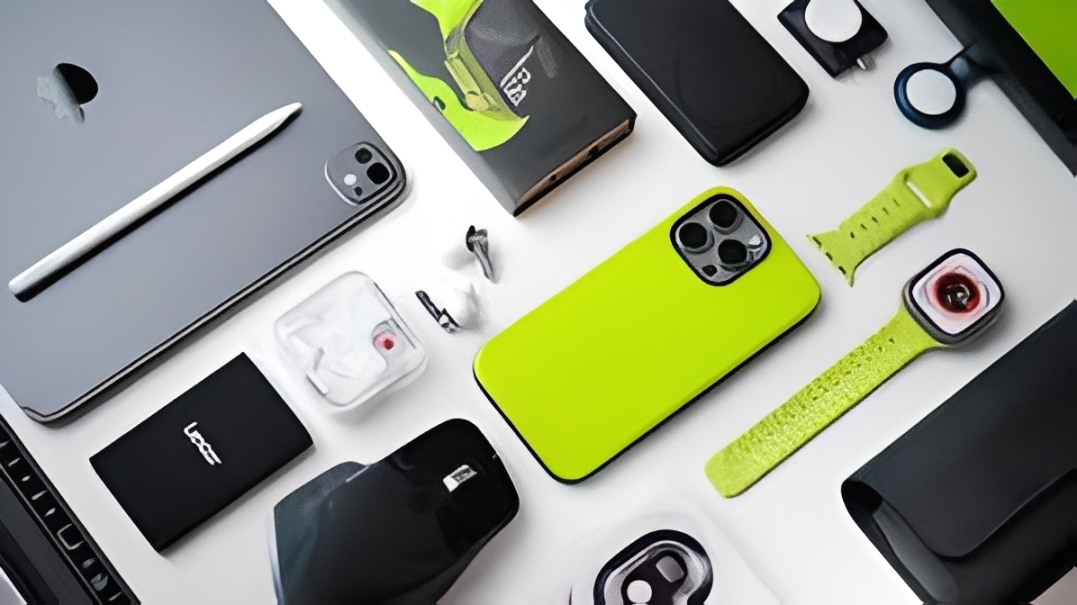
Premium tech devices don't have to break the bank. While a brand-new iPhone 15 Pro might retail for $1,200 and a MacBook Pro for $2,500, there are completely legitimate ways to get these same devices for 30-70% less. This comprehensive guide reveals the exact strategies used by tech-savvy shoppers to acquire expensive devices at bargain prices—all while staying completely legal and protected by warranties.
Why Premium Tech Doesn't Need to Cost Full Price
The tech industry operates on a fascinating cycle of constant upgrades and rapid depreciation. A device that costs $1,000 today will typically lose 30-40% of its value within 6-12 months, even though its functionality remains virtually unchanged. Understanding this cycle is the first step to smart tech purchasing.
Here's the reality most retailers don't want you to know:
- New model releases: When iPhone 16 launches, iPhone 15 prices drop by 25-35% overnight
- Refurbished premiums: Factory-refurbished devices are often indistinguishable from new
- Educational discounts: Student status can save 10-20% on most major brands
- Open-box returns: Perfectly functional devices returned within 30 days sell for 20-30% less
Method 1: Buy Certified Refurbished Directly from Manufacturers
Manufacturer-refurbished devices are the single best value in tech. These are returns, display models, or devices with minor defects that have been thoroughly inspected, repaired, and tested to factory standards. They come with the same warranty as new devices but cost 20-50% less.
Where to Buy Manufacturer Refurbished:
- Apple Certified Refurbished: 15-20% off, full 1-year warranty, eligible for AppleCare+
- Dell Outlet: Up to 50% off laptops and monitors, same warranty as new
- Samsung Certified Re-Newed: 25-35% savings on Galaxy devices and tablets
- Microsoft Certified Refurbished: Surface devices at 20-30% discount
- Best Buy Outlet: Manufacturer-certified plus open-box items at significant savings
What You Get with Certified Refurbished:
- Full manufacturer warranty (typically 1 year)
- Professional inspection and testing
- New battery (for most laptops and phones)
- New outer shell or casing (depending on manufacturer)
- All original accessories and packaging
- Eligibility for extended warranty programs
Real Example: MacBook Pro Savings
New M3 MacBook Pro 14": $1,999 retail
Apple Certified Refurbished: $1,699 (15% savings = $300)
What you get: Same specs, new battery, 1-year warranty, eligible for AppleCare+
Method 2: Time Your Purchase Around New Product Releases
The predictable release cycle of tech products creates massive savings opportunities. When manufacturers announce new models, previous generation devices experience immediate price cuts from retailers desperate to clear inventory.
Annual Tech Release Calendar:
- January-February: CES announcements lead to TV and audio equipment discounts
- March-April: Samsung Galaxy S series releases push down S24 prices
- September: New iPhones launch, previous models drop 25-30%
- October-November: MacBook and iPad updates trigger discounts on older models
- November-December: Black Friday/Cyber Monday maximum savings across all categories
How Much You'll Save:
Waiting just 30-60 days after a new product launch can save you 20-35% on the previous generation. The device functionality is nearly identical, but your wallet stays much healthier.
Strategic buying timeline example:
- iPhone 16 releases September 2025 for $999
- iPhone 15 immediately drops from $799 to $599 (25% savings)
- By November, you can find iPhone 15 for $499-549 (30-35% off original launch price)
- Performance difference? Minimal for 95% of users
Method 3: Leverage Student & Professional Discounts
If you have any connection to education or certain professions, you're sitting on substantial savings opportunities. These aren't small perks—they can save you hundreds or even thousands on tech purchases.
Major Discount Programs:
Apple Education Pricing
Savings: $100-300 on Macs, $50-100 on iPads
Who qualifies: Students, teachers, homeschool educators, parents buying for students
Verification: UNiDAYS or manual document submission
Bonus: Free AirPods with MacBook purchases during back-to-school season (Aug-Sep)
Dell Member Purchase Program
Savings: 15-30% off laptops and desktops
Who qualifies: Students, teachers, military, healthcare workers
How to access: Free Dell Advantage Rewards membership with .edu email
Microsoft Education Store
Savings: 10-15% on Surface devices and accessories
Who qualifies: Students, faculty, staff at accredited institutions
Bonus: Free Microsoft 365 for verified students
Samsung Education Discount
Savings: 10-30% on phones, tablets, and laptops
Verification: SheerID instant verification system
Pro Tip: Stack Your Discounts
Many people don't realize you can combine student discounts with other savings methods. Buy a certified refurbished MacBook through Apple Education Pricing, then use cashback sites like Rakuten for an additional 2-4% savings. Stack a student discount + refurbished pricing + cashback for 30-40% total savings.
Method 4: Buy Open-Box and Customer Returns
Open-box items are products returned by customers within the return window, typically unused or barely used. Retailers can't sell these as "new," so they offer steep discounts despite the products being in perfect or near-perfect condition.
Best Sources for Open-Box Tech:
Best Buy Open-Box (4-Tier System)
- Excellent - Certified: 10-15% off, perfect condition, full warranty
- Excellent: 15-20% off, minor cosmetic imperfections
- Satisfactory: 20-30% off, visible wear but fully functional
- Fair: 30-40% off, significant cosmetic damage but works perfectly
Amazon Warehouse Deals
- Discounts range from 15-50% depending on condition
- Clear condition descriptions and photos
- Full return policy (30 days)
- Eligible for Amazon Prime shipping
Walmart Restored Program
- 20-40% savings on open-box and refurbished
- 90-day return window
- Third-party refurbishers with Walmart backing
Safety Tips for Open-Box Purchases:
- Always buy from major retailers with solid return policies
- Check if the item comes with original accessories
- Verify warranty coverage before purchase
- Inspect thoroughly upon arrival and test all functions immediately
- Save all documentation and packaging for 30 days
Method 5: Use Cashback, Credit Card Rewards & Price Protection
Strategic use of cashback sites, credit card rewards, and purchase protection can add another 5-15% in savings on top of other discounts. These are free money opportunities most people ignore.
Cashback Strategies:
Rakuten (Formerly Ebates)
- 2-10% cashback at major tech retailers
- Quarterly bonus promotions (up to 15% during holidays)
- $30 welcome bonus for new users
- Browser extension automatically applies discounts
TopCashback
- Often has higher rates than Rakuten (2-12%)
- No minimum payout threshold
- Works with Amazon, Best Buy, Microsoft Store
Capital One Shopping
- Free browser extension that finds coupon codes automatically
- Compares prices across multiple stores
- Cashback rewards on purchases
Credit Card Perks for Tech Purchases:
The right credit card can provide substantial value on tech purchases beyond just cashback:
- Purchase Protection: Covers damage or theft for 90-120 days after purchase
- Extended Warranty: Doubles manufacturer warranty (up to 1-2 additional years)
- Price Protection: Refunds price difference if item goes on sale within 60-90 days
- Return Protection: Reimburses you if merchant won't accept return
Best cards for tech purchases:
- Chase Freedom Unlimited (5% cashback on rotating categories including electronics)
- Citi Double Cash (2% on everything, strong purchase protection)
- American Express Gold (Extended warranty, excellent protection benefits)
- Apple Card (3% back on Apple purchases, 0% financing available)
Method 6: Consider Last-Generation Flagship Over Current Budget Models
Here's a counterintuitive strategy most people miss: a last-generation flagship device is almost always better than a current-generation budget model at the same price point.
Real-World Example:
The $700 Smartphone Decision:
Option A: Brand New Budget Phone
- Google Pixel 8a (2025) - $699 retail
- Good processor, decent camera
- Plastic build, 60Hz display
- 128GB storage
Option B: Last-Gen Flagship (BETTER VALUE)
- iPhone 14 Pro refurbished - $699
- Superior processor, pro-level cameras
- Premium titanium build, 120Hz ProMotion display
- 256GB storage, better resale value
The last-gen flagship gives you:
- Better build quality and materials
- More advanced camera systems
- Longer software support timeline
- Higher resale value when you eventually upgrade
- Premium features that budget models lack
Method 7: Master the Art of Price Tracking and Alerts
The difference between overpaying and getting a great deal often comes down to timing. Price tracking tools help you identify genuine deals and avoid impulse purchases.
Essential Price Tracking Tools:
CamelCamelCamel (Amazon)
- Tracks price history for any Amazon product
- Email alerts when price drops below your target
- Shows typical price fluctuations and historical lows
- Free browser extension
Honey
- Automatically applies coupon codes at checkout
- Price history and drop alerts
- Works across 30,000+ websites
- Earned rewards can be redeemed for gift cards
SlickDeals
- Community-driven deal sharing
- Set deal alerts for specific products or categories
- User votes indicate quality of deals
- Often catches limited-time sales before they sell out
Google Shopping Price Tracking
- Built into Google Shopping results
- Tracks prices across multiple retailers
- Email notifications when prices drop
- Completely free, no account needed
Price Tracking Strategy:
- Identify the exact model you want
- Set up tracking on all tools (takes 10 minutes)
- Set your target price (usually 20-30% below current retail)
- Wait for alerts—don't buy impulsively
- When you hit your target, move fast as deals often expire quickly
Red Flags: Deals That Are Too Good to Be True
While there are incredible legitimate deals available, you need to watch out for scams and truly poor-quality products masquerading as deals.
Unrealistic discounts (70%+ off brand new items)
If a brand new iPhone 15 Pro is listed at $400 (67% off retail), it's almost certainly fake or stolen. Real discounts max out around 40-50% even for refurbished.
Sellers with no return policy
Legitimate retailers and certified refurbishers always offer returns. No return policy = major red flag.
Unknown third-party sellers on marketplaces
Stick to verified sellers with thousands of positive reviews. New sellers offering incredible deals are often scams.
"International version" or "gray market" devices
These may lack warranty coverage, have wrong LTE bands for your country, or include non-genuine parts.
Your 30-Day Action Plan to Buy Premium Tech Cheap
Week 1: Research & Setup
- Identify the exact device and specifications you need
- Create accounts on cashback sites (Rakuten, TopCashback)
- Install price tracking browser extensions
- Set up deal alerts on SlickDeals for your target product
- Verify if you qualify for any student or professional discounts
Week 2-3: Monitor & Compare
- Track prices across manufacturer refurbished stores
- Check open-box availability at Best Buy and Amazon Warehouse
- Monitor for price drops following new product announcements
- Research which credit card offers best purchase protection for your item
- Join product-specific communities (Reddit r/LaptopDeals, r/BuildAPCSales, etc.)
Week 4: Purchase & Verify
- Make purchase when deal meets your target price
- Use cashback portal before checkout
- Pay with credit card that has purchase protection
- Document the purchase (screenshots, receipts)
- Upon arrival, thoroughly test device within return window
- Register warranty and extended protection if applicable
Real Success Story
"I needed a MacBook Pro for design work but had a $1,500 budget. Using these methods, I found a certified refurbished M2 MacBook Pro 14" from Apple for $1,699, applied my student discount bringing it to $1,549, used Rakuten for 3% cashback ($46), and paid with my credit card that extended the warranty by an extra year. Total paid: $1,503 for a device that retails at $2,499. That's a 40% savings on a machine that's indistinguishable from new." - Sarah, Graphic Designer
Common Mistakes That Cost You Money
Buying the newest model immediately at launch
Launch prices are always premium. Wait 3-6 months for first discounts or buy last-gen at massive savings.
Ignoring refurbished options entirely
Many people have unfounded fears about refurbished devices. Manufacturer-certified refurbs are virtually identical to new with full warranties.
Not verifying student/professional discount eligibility
Even if you're not actively in school, you might qualify through parents, spouses, or professional associations. Always check.
Forgetting to use cashback and credit card perks
This is literally free money you're leaving on the table. Takes 2 minutes to activate before purchase.
Conclusion
Buying premium tech devices at steep discounts is not only possible—it should be your default approach. By combining manufacturer refurbished programs, strategic timing around product releases, student discounts, open-box purchases, cashback sites, and smart credit card usage, you can realistically save 30-70% on devices that perform identically to their full-price counterparts.
The key is patience, research, and knowing where to look. Start implementing these strategies today, and you'll never pay full retail price for tech again. Your future self (and wallet) will thank you.
Need Tech Now? Check Our Certified Devices
Browse our collection of manufacturer-certified refurbished MacBooks, iPads, and accessories—all verified, warrantied, and ready to ship at 30-50% below retail prices.
View Available Tech →Frequently Asked Questions
Is manufacturer refurbished really as good as buying new?
Yes, when buying directly from manufacturers like Apple, Dell, or Samsung. These devices undergo rigorous testing, get new batteries and outer shells, come with full warranties, and are often indistinguishable from new. Third-party refurbishers vary in quality, so stick with manufacturer or major retailer certified programs.
How much should I realistically expect to save?
Combining multiple strategies, you can save 30-50% on most premium devices. Manufacturer refurbished alone saves 15-30%, timing around new releases adds another 10-20%, and cashback/discounts contribute 5-10%. Individual results vary, but 35-40% total savings is very achievable.
What's the best time of year to buy tech devices?
Black Friday/Cyber Monday (late November) offers the deepest discounts across all categories. Back to school season (August-September) has excellent deals on laptops and tablets. Right after new model launches (September for iPhones, October for MacBooks) previous generation devices see major price cuts.
Are open-box items risky to buy?
When purchased from major retailers like Best Buy or Amazon with solid return policies, open-box items are low-risk. These retailers grade condition clearly, offer full returns (typically 15-30 days), and stand behind their sales. Always inspect thoroughly upon arrival and test all functions immediately.
Can I get Apple devices cheaper anywhere other than Apple directly?
Yes. Amazon, Best Buy, Costco, and Target regularly run promotions on new Apple devices (especially during holidays). For refurbished, Apple's certified refurbished store offers the best selection with full warranties. Third-party authorized resellers sometimes offer better deals but verify warranty coverage.
Do student discounts work if I'm not currently enrolled?
Some programs verify current enrollment, others don't. Apple Education pricing works for parents buying for students, teachers (even retired in some cases), and homeschool educators. Many companies also offer discounts to military, healthcare workers, and government employees—worth checking even if you're not a student.
Should I buy extended warranty on discounted devices?
For expensive devices ($800+), extended warranty can provide peace of mind, especially if you bought refurbished. However, many credit cards automatically extend manufacturer warranties by 1-2 years at no cost. Check your credit card benefits before purchasing separate extended warranty coverage.
Is it safe to buy tech from Facebook Marketplace or Craigslist?
Exercise extreme caution with peer-to-peer marketplaces. While legitimate deals exist, there's higher risk of scams, stolen goods, or devices with problems. If you do buy locally: meet in public places, verify serial numbers, check for activation locks, test everything before paying, and use PayPal Goods & Services for some buyer protection. Generally, stick with established retailers when possible.