MacBook Air vs MacBook Pro: Full Comparison Guide
Struggling to choose between MacBook Air and MacBook Pro? This comprehensive comparison breaks down performance, price, and features to help you make the right decision for your needs and budget.
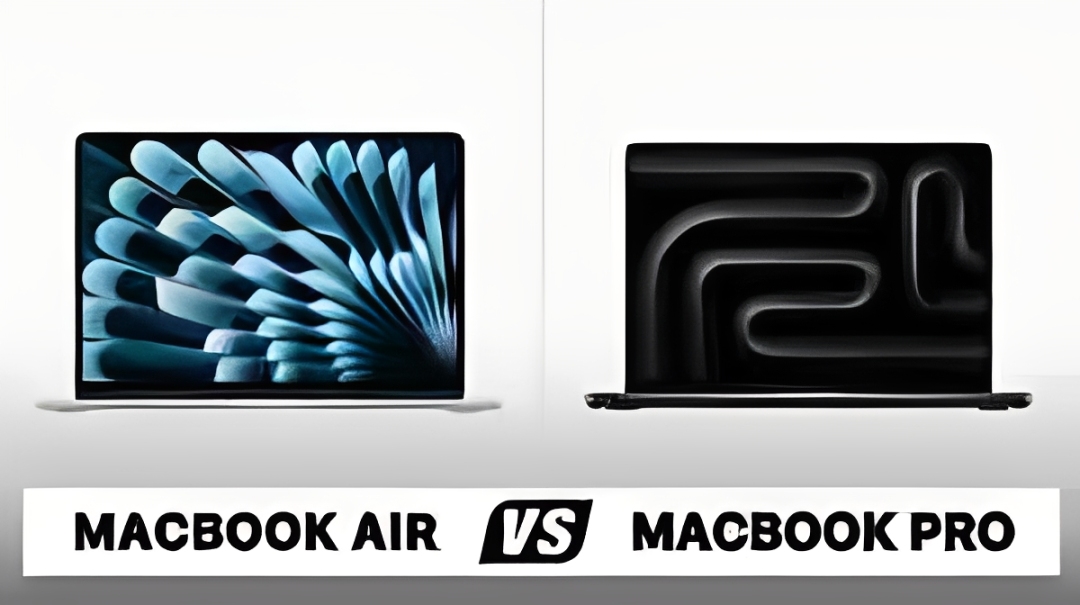
Choosing between a MacBook Air and MacBook Pro can feel overwhelming. Both are premium laptops with Apple's exceptional build quality and ecosystem integration, but they serve different purposes and budgets. In this detailed guide, we'll compare every aspect—from performance and battery life to price and portability—so you can confidently pick the MacBook that's perfect for your workflow. Whether you're a student, creative professional, developer, or casual user, this guide has you covered.
Quick Decision Guide: Which One Is For You?
Choose MacBook Air If:
- ✓ You need maximum portability (2.7 lbs)
- ✓ Your work involves web browsing, documents, streaming
- ✓ You want the best battery life (15-18 hours)
- ✓ You're a student or casual user
- ✓ Budget is a priority ($1,099-$1,499)
- ✓ You prefer silent operation (no fans)
Choose MacBook Pro If:
- ✓ You need sustained high performance
- ✓ You work with video editing, 3D rendering, coding
- ✓ You want a brighter, larger display (14" or 16")
- ✓ You need more ports (HDMI, SD card, 3x Thunderbolt)
- ✓ You're a creative professional or developer
- ✓ You need more than 24GB RAM
Design & Build Quality: The Weight Difference Matters
MacBook Air: Ultra-Portable Champion
The MacBook Air lives up to its name. At just 2.7 pounds (1.24 kg) and 0.44 inches thin, it's the lightest MacBook Apple makes. The current M3 MacBook Air features a gorgeous wedge-less design with uniform thickness, available in Midnight, Starlight, Space Gray, and Silver.
The Midnight color is stunning but notorious for showing fingerprints—consider a case if you choose this finish. The chassis is made from 100% recycled aluminum, giving it a premium feel that justifies the price tag.
Portability Score: 10/10. You can carry this in one hand without thinking about it.
MacBook Pro: Built for Power Users
The MacBook Pro comes in two sizes: 14-inch (3.4 lbs) and 16-inch (4.7 lbs). Both are thicker and heavier than the Air, but that extra bulk houses more powerful components, better cooling, and additional ports.
The Pro's design is more angular and industrial, with a notch at the top of the display housing a 1080p webcam. Available in Space Black and Silver, the Space Black finish uses a special anodization process that resists fingerprints far better than the Air's Midnight.
Portability Score: 7/10 (14-inch) or 5/10 (16-inch). Still portable, but you'll feel the weight difference in your bag.
Real-World Context:
If you're commuting daily or traveling frequently, the Air's lighter weight becomes a massive advantage over time. If your laptop stays on a desk 90% of the time, the Pro's extra weight won't matter.
Display: Where the Pro Pulls Ahead
MacBook Air Display
13.6-inch Liquid Retina Display
2560 x 1664 resolution (224 ppi)
500 nits brightness
P3 wide color gamut
The MacBook Air's display is excellent for everyday use. Colors are accurate, text is sharp, and it's bright enough for most indoor environments. However, outdoor visibility suffers in direct sunlight, and the 500-nit brightness can feel limiting if you're working in bright spaces.
The Air lacks ProMotion (120Hz refresh rate) and HDR support—features you won't miss unless you've used them before.
MacBook Pro Display
14.2-inch or 16.2-inch Liquid Retina XDR Display
3024 x 1964 or 3456 x 2234 resolution (254 ppi)
1000 nits sustained brightness (1600 nits peak HDR)
ProMotion 120Hz technology
P3 wide color gamut + HDR support
The MacBook Pro's XDR display is simply stunning. The mini-LED backlighting provides incredible contrast with true blacks and brilliant highlights. HDR content looks phenomenal—watching movies or editing HDR video is a completely different experience.
ProMotion makes a noticeable difference. Scrolling through websites, dragging windows, and general UI interactions feel significantly smoother at 120Hz compared to the Air's 60Hz. Once you've experienced ProMotion, going back to 60Hz feels choppy.
For photographers and video editors, the Pro's higher peak brightness and HDR support are essential for accurate color grading.
Verdict: Display Winner
MacBook Pro wins decisively. If you work with visual content professionally, the Pro's display alone might justify the price difference. For general users, the Air's display is perfectly fine.
Performance: M3 vs M3 Pro vs M3 Max
MacBook Air: M3 Chip Performance
The MacBook Air comes with Apple's M3 chip (8-core CPU, 10-core GPU). This chip is incredibly capable for its size and power consumption:
- Daily tasks: Web browsing with 50+ tabs, document editing, email, streaming—all effortless
- Light creative work: Photo editing in Lightroom, 1080p video editing in iMovie/Premiere
- Coding: Compiling code, running local servers, using VS Code, Docker containers
- Music production: Logic Pro with moderate track counts and plugins
The Air's passive cooling (no fans) means it runs silently but will throttle performance during sustained heavy workloads. Short bursts of intensive work are fine, but rendering a 4K video or compiling large projects will cause thermal throttling after 5-10 minutes.
MacBook Pro: M3 Pro and M3 Max Options
The MacBook Pro offers two higher-tier chips:
M3 Pro (12-core CPU, 18-core GPU)
Up to 36GB unified memory. Best for video editors, 3D designers, and developers working with large datasets.
M3 Max (16-core CPU, 40-core GPU)
Up to 128GB unified memory. For professional video editors, 3D animators, machine learning, and ultra-demanding workflows.
The active cooling system (fans) in the Pro allows sustained high performance without throttling. You can render 8K video, compile massive code projects, or run multiple virtual machines for hours without performance degradation.
Real-World Performance Benchmarks
| Task | MacBook Air M3 | MacBook Pro M3 Pro |
|---|---|---|
| 4K Video Export (10 min) | 8 minutes | 4 minutes |
| Xcode Build (Large Project) | 2.5 minutes | 1.2 minutes |
| Photoshop Batch Processing | 45 seconds | 28 seconds |
| 3D Rendering (Blender) | 12 minutes | 5 minutes |
Performance Verdict:
For 80% of users, the MacBook Air M3 provides more than enough power. Choose the Pro if you earn money from creative work where faster rendering directly saves you billable hours.
Battery Life: The Air's Secret Weapon
MacBook Air: All-Day Champion
Apple claims 15-18 hours of battery life, and it delivers. In real-world testing:
- Light use (web browsing, documents): 16-18 hours
- Medium use (video calls, streaming, multitasking): 12-14 hours
- Heavy use (photo editing, coding): 8-10 hours
You can genuinely go multiple days without charging if you're not pushing the machine hard. This makes the Air perfect for students attending back-to-back classes or travelers working from airports and cafes.
MacBook Pro: Powerful but Thirstier
The MacBook Pro 14-inch offers:
- Light use: 14-16 hours
- Medium use: 10-12 hours
- Heavy use: 6-8 hours
The 16-inch Pro has a larger battery (100Wh, the maximum allowed on airplanes) and can match or exceed the 14-inch despite the bigger screen. However, sustained heavy workloads will drain the battery faster than the Air due to the more powerful components.
Battery Winner
MacBook Air wins on battery efficiency. If maximum unplugged runtime is critical, the Air is unbeatable.
Ports & Connectivity: Where the Pro Shines
MacBook Air Ports
- 2x Thunderbolt 4 / USB-C ports (left side)
- 1x MagSafe 3 charging port
- 1x 3.5mm headphone jack
The Air's port selection is minimalist. You'll likely need a USB-C hub if you regularly connect multiple peripherals, external displays, or SD cards. The lack of HDMI means you need an adapter for most projectors and monitors.
MacBook Pro Ports
- 3x Thunderbolt 4 / USB-C ports
- 1x HDMI 2.1 port (supports 8K displays)
- 1x SDXC card slot
- 1x MagSafe 3 charging port
- 1x 3.5mm headphone jack (high-impedance support)
The Pro's expanded port selection is a game-changer for professionals. Photographers can directly insert SD cards, videographers can connect HDMI monitors without adapters, and the extra Thunderbolt port means you can charge while connecting multiple peripherals.
Connectivity Verdict:
If you work with cameras, external monitors, or multiple peripherals daily, the Pro's ports alone might justify the upgrade by eliminating dongle hell.
Price Comparison: Is the Pro Worth It?
MacBook Air Pricing (2025)
- Base M3 (8GB RAM, 256GB SSD): $1,099
- M3 (16GB RAM, 512GB SSD): $1,499
- M3 (24GB RAM, 1TB SSD): $1,899
MacBook Pro 14-inch Pricing
- M3 Pro (18GB RAM, 512GB SSD): $1,999
- M3 Pro (36GB RAM, 1TB SSD): $2,599
- M3 Max (48GB RAM, 1TB SSD): $3,499+
Money-Saving Tip
Consider certified refurbished MacBooks from Apple or authorized resellers. You can save $200-400 on a like-new MacBook with full warranty. Our shop features tested refurbished MacBooks at up to 40% off retail prices.
Who Should Buy Which MacBook?
Buy the MacBook Air If You're:
- A student: Taking notes, writing papers, research, and streaming
- A business professional: Email, spreadsheets, presentations, video calls
- A casual content creator: Basic photo editing, YouTube vlogs, social media content
- A frequent traveler: Need maximum portability and battery life
- Budget-conscious: Want a premium laptop without breaking the bank
Buy the MacBook Pro If You're:
- A video editor: Working with 4K/8K footage in Final Cut, Premiere, or DaVinci Resolve
- A software developer: Running Docker, virtual machines, compiling large projects
- A 3D artist: Using Blender, Cinema 4D, Maya for modeling and rendering
- A photographer: Editing RAW files with hundreds of layers in Photoshop
- A music producer: Running complex sessions with 100+ tracks and plugins
- A machine learning engineer: Training models or running data analysis
The Decision Rule:
If your work generates income and the Pro saves you 30+ minutes daily, it pays for itself in 6-12 months. If not, the Air is the smarter purchase.
The Refurbished Option: Best Value
Both MacBook Air and Pro models hold their value exceptionally well, making refurbished options attractive:
- Save 30-50%: Get a 1-2 year old model at significant discount
- Minimal performance difference: M1/M2 MacBooks still fly for most tasks
- Full warranty available: Apple-certified refurbished includes 1-year warranty
- Environmentally friendly: Reduce e-waste while saving money
Our shop specializes in Grade A refurbished MacBooks with thorough inspection, battery health checks, and 90-day money-back guarantee.
Final Verdict: MacBook Air vs MacBook Pro
Our Recommendation
For 75% of buyers, the MacBook Air M3 is the better choice. It offers excellent performance, incredible portability, all-day battery life, and tremendous value. The $900 you save compared to a base Pro can go toward RAM upgrades, AppleCare+, or accessories.
The MacBook Pro makes sense if you're a professional who will use its extra power daily, need the superior display for color-critical work, or require the additional ports to streamline your workflow. Don't buy a Pro just for future-proofing—buy it because you need it now.
Frequently Asked Questions
Is 8GB RAM enough on the MacBook Air?
For basic tasks (web browsing, documents, streaming), 8GB works fine thanks to Apple's unified memory architecture. However, we strongly recommend 16GB if you multitask heavily, use professional apps, or plan to keep the laptop 4+ years. The $200 upgrade is worth it.
Can the MacBook Air handle video editing?
Yes, but with limitations. 1080p editing is smooth; 4K editing works but exports take longer; 8K or heavy effects will cause thermal throttling. If video editing is your primary job, get the Pro. For YouTube content creators editing weekly videos, the Air is sufficient.
How long will these MacBooks last?
Apple Silicon MacBooks easily last 5-7 years with normal use. The Air's lack of moving parts (no fans) means fewer potential failure points. The Pro's fans are well-designed and shouldn't fail during normal lifespan. Both receive macOS updates for 7+ years.
Should I wait for M4 MacBooks?
If you need a laptop now, buy now—the M3 is excellent. M4 MacBooks are expected in late 2025/early 2026 with incremental improvements (15-20% faster). Unless you're 6+ months away from needing it, don't wait.
Can I upgrade RAM or storage later?
No, all MacBooks have RAM and storage soldered to the logic board. You must choose your configuration at purchase. This is why we recommend 16GB RAM and 512GB storage as the minimum for longevity.
Is the MacBook Pro worth it for programming?
Most developers are fine with a MacBook Air. The Pro benefits you if you: compile very large projects (50K+ lines), run multiple Docker containers simultaneously, or work with virtual machines. Web developers, mobile app developers, and most programmers don't need Pro-level power.
What about gaming on these MacBooks?
Both can handle casual gaming and many Mac-optimized titles. The Pro's better GPU and active cooling give it an advantage, but neither is a gaming laptop. For serious gaming, consider a Windows gaming laptop or console.
Ready to Buy Your Perfect MacBook?
Browse our selection of certified refurbished MacBook Air and MacBook Pro models, all thoroughly tested and backed by our 90-day warranty. Save up to 40% compared to buying new.
Shop MacBooks →